

Launching a website is only the beginning. Business website maintenance is essential for keeping your site secure, fast, functional, and up to date as your company grows.
Many Toronto businesses invest significant time and money into building a professional website, only to leave it largely untouched once it goes live. For a while, everything may continue working as expected. Eventually, however, software becomes outdated, content changes, links break, forms stop working, and performance can begin to decline.
Website maintenance isn’t just about keeping WordPress updated. It’s about making sure your website continues to provide the experience your customers expect while supporting your business, marketing, and search visibility.
Here are seven signs that your business website may be overdue for maintenance.
1. Your Website Is Loading Slower Than It Used To
Website performance can deteriorate gradually.
New plugins get installed. Images are uploaded without optimization. Databases accumulate unnecessary information. Scripts are added for analytics, advertising, chat systems, and other services.
Individually, these changes may seem insignificant. Together, they can affect how quickly pages load.
A slow website creates friction for visitors, particularly those browsing from mobile devices. Potential customers shouldn’t have to wait several seconds just to learn about your services or find your contact information.
Regular maintenance can identify unnecessary plugins, oversized images, caching problems, database issues, and other factors that may be affecting performance.
Speed should be monitored over time rather than addressed only when a website becomes noticeably slow.
2. WordPress, Themes, or Plugins Are Outdated
WordPress websites typically depend on several different pieces of software.
There is WordPress itself, the active theme, and potentially numerous plugins responsible for forms, SEO, security, backups, galleries, e-commerce, caching, and other functionality.
All of these may receive updates. WordPress recommends keeping WordPress updated, and its documentation also explains the importance of backing up before an update.
Ignoring updates for long periods can create compatibility and security problems. At the same time, blindly installing every update without backups or testing can also cause problems.
Regular business website maintenance can help identify outdated software, compatibility issues, and potential problems before they begin affecting your customers.
A sensible maintenance process involves keeping software current while making sure important website functionality continues to work after updates.
For businesses that don’t want to manage these tasks internally, our professional website maintenance services can provide ongoing updates, monitoring, backups, and technical support.
3. Forms, Buttons, or Links Aren’t Working Properly
A website can look perfectly normal while important functionality is broken.
A contact form may stop delivering emails.
A button may lead to an old page.
A booking link may no longer work.
An internal link may return a 404 error after a URL is changed.
These problems are particularly serious when they affect conversion points.
Imagine investing in SEO or Google Ads to bring potential customers to your website only to discover that your quote-request form hasn’t been sending submissions properly.
Routine website checks can identify these problems before they result in significant lost opportunities.
Test important forms periodically. Click major calls to action. Review navigation links. Check phone numbers and email addresses.
The more important a website is to generating business, the more important these checks become.
4. Your Website Doesn’t Look or Work Right on Mobile
A website that worked well on mobile two years ago may not necessarily provide the same experience today.
Content changes. New sections are added. Plugins change how certain elements display. Buttons, tables, pop-ups, galleries, or forms may behave differently after updates.
Businesses should periodically review important pages across different screen sizes rather than assuming responsive design will always remain perfect.
Look specifically at:
- Navigation menus
- Contact forms
- Buttons
- Phone numbers
- Images
- Pop-ups
- Tables
- Galleries
- Pricing sections
- Calls to action
Mobile visitors should be able to browse the website and contact the business without unnecessary frustration.
5. Your Website Contains Outdated Business Information
Technical maintenance is only part of business website maintenance. Content also needs attention.
Businesses evolve quickly. Employees change. Services are introduced or discontinued. Prices change. Business hours are updated. New locations open. Old promotions expire.
Yet websites sometimes continue displaying information that hasn’t been accurate for years.
Review your website periodically from the perspective of someone discovering the company for the first time.
Is every service still offered?
Are your phone number and email address correct?
Are your operating hours current?
Are employee profiles accurate?
Do portfolio examples still represent the quality of your work?
Does the website describe your business as it operates today?
Keeping information current helps ensure the website remains a reliable source for customers.
6. You Don’t Know Whether Your Website Is Being Backed Up
Backups are easy to ignore until something goes wrong.
A website can experience problems for many reasons, including software conflicts, hosting issues, human error, malware, failed updates, or accidental file deletion.
Having a recent backup can make recovery significantly easier.
Businesses should know:
- How often their website is backed up
- Where backups are stored
- How many backups are retained
- Whether database and website files are both included
- How the website would be restored if necessary
Ideally, backups shouldn’t exist exclusively in the same location as the live website.
A reliable ongoing website support plan should include regular backups and a clear process for restoring the website if something goes wrong.
7. Nobody Has Reviewed the Website in Months
Perhaps the clearest sign that a website needs maintenance is simply that nobody is responsible for checking it.
Websites aren’t static assets.
Browsers change. Devices change. WordPress changes. Plugins change. Business information changes. Customer expectations change.
Even a well-built website benefits from periodic review.
That doesn’t mean redesigning the site every few months. It means checking that the website continues to perform the job it was built to do.
For a Toronto business, that may mean generating inquiries, encouraging appointments, displaying products, attracting customers to a physical location, or supporting broader marketing campaigns.
Regular business website maintenance gives you an opportunity to catch issues before they begin affecting customers or your marketing efforts.
If nobody has looked at the website critically in six months or a year, it’s worth conducting a proper review.
Why Business Website Maintenance Matters
Businesses sometimes think about website maintenance as another technical expense.
A better way to look at it is as protection for an existing investment.
Your website may support SEO, Google Ads, social media, email campaigns, referrals, and offline marketing. Customers who discover the company through any of these channels may eventually visit the website before contacting you.
If the website isn’t functioning properly, marketing performance can suffer regardless of how effectively those customers were acquired.
This is why website maintenance and digital marketing shouldn’t be treated as completely separate activities.
A well-maintained website gives marketing campaigns a reliable destination.
Maintenance Doesn’t Mean Constantly Changing Your Website
There is an important distinction between maintaining a website and continually redesigning it.
Maintenance should generally preserve stability.
You don’t need to change your homepage every week, replace headings constantly, or redesign sections simply because they have been online for several months.
Instead, maintenance focuses on keeping the existing website healthy.
That includes software updates, security, backups, performance, functionality, content accuracy, and fixing problems as they arise.
Larger design or structural changes should normally have a specific business reason behind them.
When Is It Time for a Redesign Instead?
Sometimes maintenance is no longer enough.
If the website is extremely outdated, difficult to use on mobile devices, built on obsolete technology, poorly structured, or no longer represents the business, continually repairing it may not be the best long-term solution.
That’s when a website redesign may make more sense.
A redesign provides an opportunity to reconsider the website’s structure, design, technology, content, user experience, and conversion strategy rather than continually repairing an outdated foundation.
The decision should depend on the condition of the existing website and what the business needs from it going forward.
Business Website Maintenance for Toronto Companies
Your website doesn’t need attention every day, but it shouldn’t be forgotten after launch.
Consistent website maintenance can help keep your site secure, current, fast, functional, and useful to potential customers.
For businesses that rely on their websites for inquiries, bookings, sales, or customer information, those seemingly small maintenance tasks can have a meaningful impact.
Web Development Toronto provides ongoing website maintenance and support for businesses across Toronto and the GTA. Whether you need help keeping an existing WordPress website healthy or you’re dealing with recurring technical problems, contact us to discuss what your website needs.

Related Posts
October 22, 2026
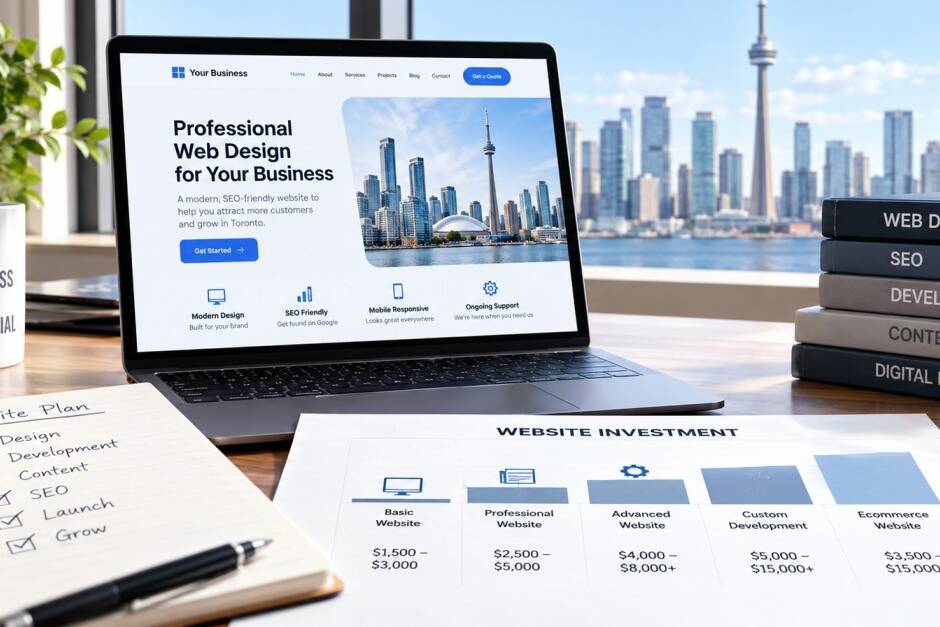
How Much Does a Small Business Website Cost in Toronto in 2026?
How much does a small business website cost in Toronto in 2026? Explore typical…

October 12, 2026
Does Your Business Website Actually Generate Leads?
Is your business website attracting visitors but failing to generate inquiries?…

October 5, 2026
How to Redesign Your Toronto Website Without Losing SEO
A new website should bring in more business, not less. Yet one of the most…
