
Choosing the right WordPress developer can have a significant impact on how well your website performs after it launches.
A business website needs to do more than look professional. It should be easy to use, work properly on mobile devices, load quickly, provide a solid foundation for SEO, and be manageable after development is complete.
Toronto businesses have plenty of options when choosing a WordPress developer, from freelancers and small agencies to larger development companies. The challenge is determining which developer is the right fit for your particular project.
Here are some of the most important things to consider before making a decision.
Start With Your Website Requirements
Before contacting developers, establish what you actually need from the website.
A five-page website for a local service company has very different requirements from an eCommerce store, membership website, directory, or platform requiring custom integrations.
Consider questions such as:
- How many pages will you need?
- Will you need eCommerce functionality?
- Do you need online booking?
- Will the website require custom forms?
- Do you need integrations with other platforms?
- Who will manage the website after launch?
- Will you be regularly publishing new content?
- Is generating leads through search an important objective?
Having a basic understanding of your requirements makes it easier to compare proposals and avoid paying for functionality your business doesn’t need.
Look at the Developer’s Previous Work
A portfolio can tell you considerably more than a list of services.
Look at websites the developer has actually built and visit them rather than relying entirely on screenshots.
Pay attention to how the sites look and function across different devices. Check whether navigation is straightforward, pages load properly, and the overall experience feels professional.
Don’t expect every website in a portfolio to look the same. In fact, some variation can be a positive sign because different businesses have different audiences, branding, and objectives.
Make Sure Mobile Development Is Included
Mobile responsiveness should be standard for a modern WordPress website.
Potential customers may discover your company from a phone and never visit your website from a desktop computer.
A responsive website should adapt its layout to different screen sizes while keeping important elements easy to use.
Navigation menus, forms, buttons, images, text, and calls to action should all work properly on smaller screens.
When reviewing a developer’s previous work, open several websites on your own phone and test them.
Ask About SEO Before Development Starts
SEO shouldn’t begin after the website has already been built.
The decisions made during development can affect how search engines discover, crawl, and understand the website.
A developer doesn’t necessarily need to provide a complete ongoing SEO campaign, but they should understand technical fundamentals such as:
- Search-friendly URLs
- Heading structure
- Internal linking
- Metadata
- Image optimization
- Mobile usability
- Website performance
- XML sitemaps
- Indexability
- Redirects
If organic search is important to your business, choosing WordPress developers in Toronto who understand SEO fundamentals can prevent unnecessary technical problems later.
Find Out How Much Customization You’re Getting
Not every WordPress website described as “custom” involves the same amount of custom development.
Some developers start with a prebuilt template and change the logo, colours, images, and content. Others create customized layouts and functionality around the requirements of the business.
Neither approach is automatically wrong.
A smaller business with a limited budget may be perfectly well served by a carefully customized existing framework. A business with specific design or functionality requirements may need something more tailored.
The important thing is understanding what you’re paying for.
Ask the developer how the website will be built and which parts of the design or functionality will be customized.
Ask Who Owns the Website
This is easy to overlook.
Before development begins, make sure you understand who will control:
- The domain name
- WordPress administrator access
- Hosting
- Website files
- Database
- Premium plugin licences
- Theme licences
- Analytics accounts
Your business should not unexpectedly lose access to its website because a relationship with a developer ends.
Ask these questions before signing an agreement rather than after a problem occurs.
Consider Website Performance
WordPress is flexible, but a poorly configured WordPress website can become unnecessarily slow.
Performance can be affected by oversized images, excessive plugins, complicated page builders, unnecessary scripts, hosting quality, caching, and the way the website itself is developed.
Ask prospective developers how they approach website performance.
There is no reason every business website needs to achieve a perfect performance score, but speed shouldn’t be ignored during development.
Understand How Plugins Will Be Used
One of WordPress’s biggest advantages is its plugin ecosystem.
Plugins can add forms, eCommerce functionality, security features, backups, SEO tools, caching, and many other capabilities without developing everything from scratch.
However, installing a plugin for every small feature can eventually create maintenance and performance problems.
Ask whether the developer uses established, actively maintained plugins and whether premium plugins require annual licence fees.
You should know what recurring costs will exist after the website launches.
Make Sure You Can Update the Website
One of the reasons businesses choose WordPress is the ability to manage content without constantly relying on a developer.
Ask how easy it will be to:
- Edit text
- Replace images
- Publish blog posts
- Add pages
- Update services
- Change contact information
- Manage products if applicable
A developer should also be able to provide a basic walkthrough so you understand how to handle routine content changes.
You shouldn’t be afraid to touch your own website after it launches.
Ask About Security and Backups
No website platform is completely immune to security problems.
WordPress websites require updates to the core software, plugins, and themes. Backups should also be maintained so the website can be restored if something goes wrong.
Ask the developer what security measures are included during development and what happens after launch.
If ongoing updates and monitoring aren’t included, determine whether you will manage them yourself or use a website maintenance service in Toronto.
Understand the Project Timeline
Ask for a realistic development schedule before the project begins.
The timeline may depend on more than the developer.
Projects can also be delayed while waiting for:
- Website copy
- Images
- Product information
- Client approvals
- Third-party integrations
- Feedback
- Access credentials
Establish who is responsible for each part of the project and how revisions will be handled.
Clear expectations make the development process considerably easier for everyone involved.
Compare More Than the Price
It’s reasonable to have a budget, but the lowest quote isn’t automatically the best value.
Two WordPress proposals can have very different scopes even when they appear similar at first glance.
One quote may include custom layouts, mobile optimization, SEO setup, performance work, forms, training, and post-launch support. Another may cover little more than installing a theme and adding your content.
Compare exactly what you’re receiving rather than comparing the final numbers alone.
If you’re still establishing a budget, our guide to web development costs in Toronto explains some of the factors that affect website pricing.
Choose a Developer Who Understands Your Business
Technical ability matters, but communication matters too.
Your developer should understand what the website is supposed to accomplish for the business.
A local contractor trying to generate quote requests has different requirements from an online retailer, professional services company, restaurant, or B2B organization.
The website should be built around those objectives rather than around technology for its own sake.
Before choosing a WordPress developer in Toronto, look at the complete picture: experience, portfolio, communication, SEO knowledge, development approach, support, pricing, and how well they understand what your business needs.
The right WordPress website should be something your company can continue using and expanding long after the initial development project is complete.
Planning a WordPress Website in Toronto?
At Web Development Toronto, we build WordPress websites for Toronto and GTA businesses with mobile responsiveness, SEO fundamentals, performance, and long-term usability in mind.
If you’re planning a new WordPress website or replacing an outdated one, contact us to discuss your project.

Related Posts
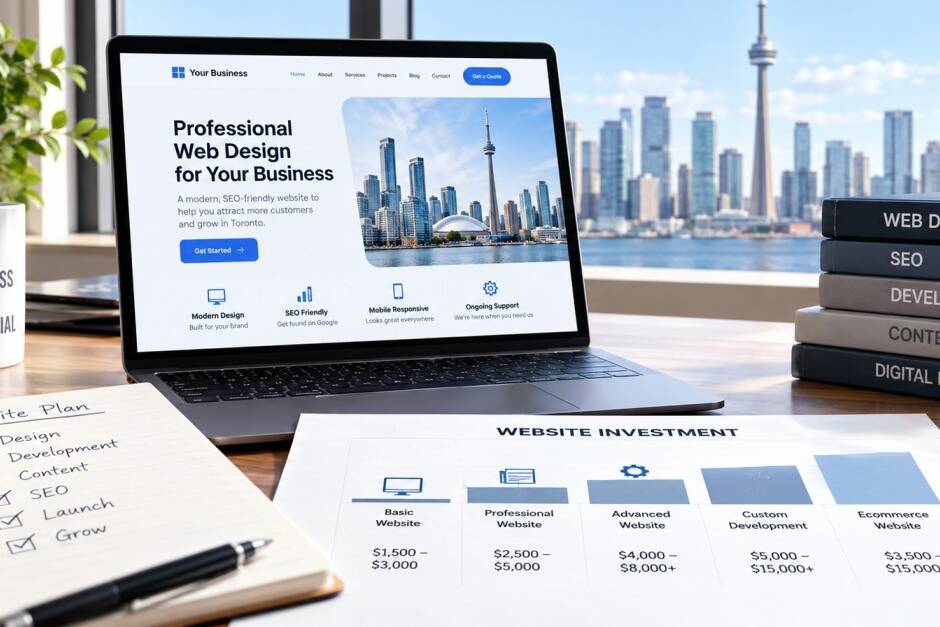
October 22, 2026
How Much Does a Small Business Website Cost in Toronto in 2026?
How much does a small business website cost in Toronto in 2026? Explore typical…

October 12, 2026
Does Your Business Website Actually Generate Leads?
Is your business website attracting visitors but failing to generate inquiries?…
October 5, 2026
How to Redesign Your Toronto Website Without Losing SEO
A new website should bring in more business, not less. Yet one of the most…
